SarrafPro GEN I Software at the counter. One connected workflow.
SarrafPro GEN I is our dual-screen desktop terminal for jewellery counters, bringing together product identification, sales, customer workflows and printing. It is Backhub’s first device import project.
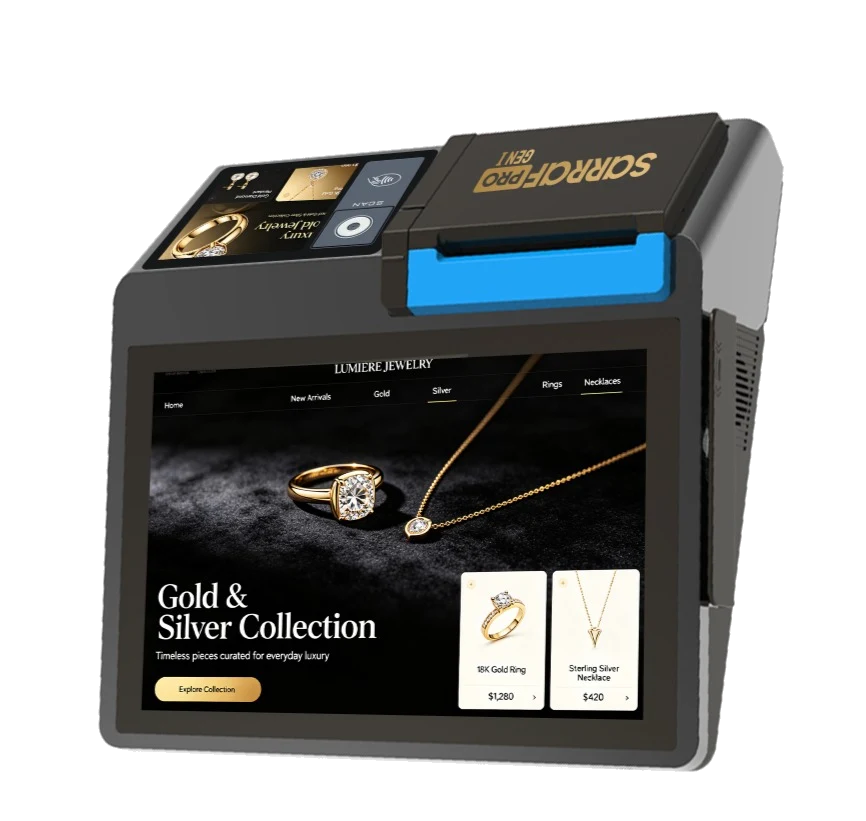
- Two touchscreens
- 10.1″ + 4″
- Integrated thermal printer
- 80 mm
- Commercial operating system
- Android 13
Software that knows the industry. An approach that reaches the counter.
Meet BackhubBackhub is a software company known through its ventures. For our jewellery products, we consider the entire workspace: where an item is scanned, a customer is informed and a transaction becomes a business record.
SarrafPro GEN I is the first device project in this approach. We import GEN devices and bring SarrafPro’s industry software experience to jewellery counters. Within the Sarraf family, GEN I connects a physical device with business software.
Rather than treating product identification, sales, bank records and documents as isolated tasks, we design them as parts of the same operation. The device’s displays, scanning tools, printer and connections support that way of working.
Every part of the counter has a role to play.
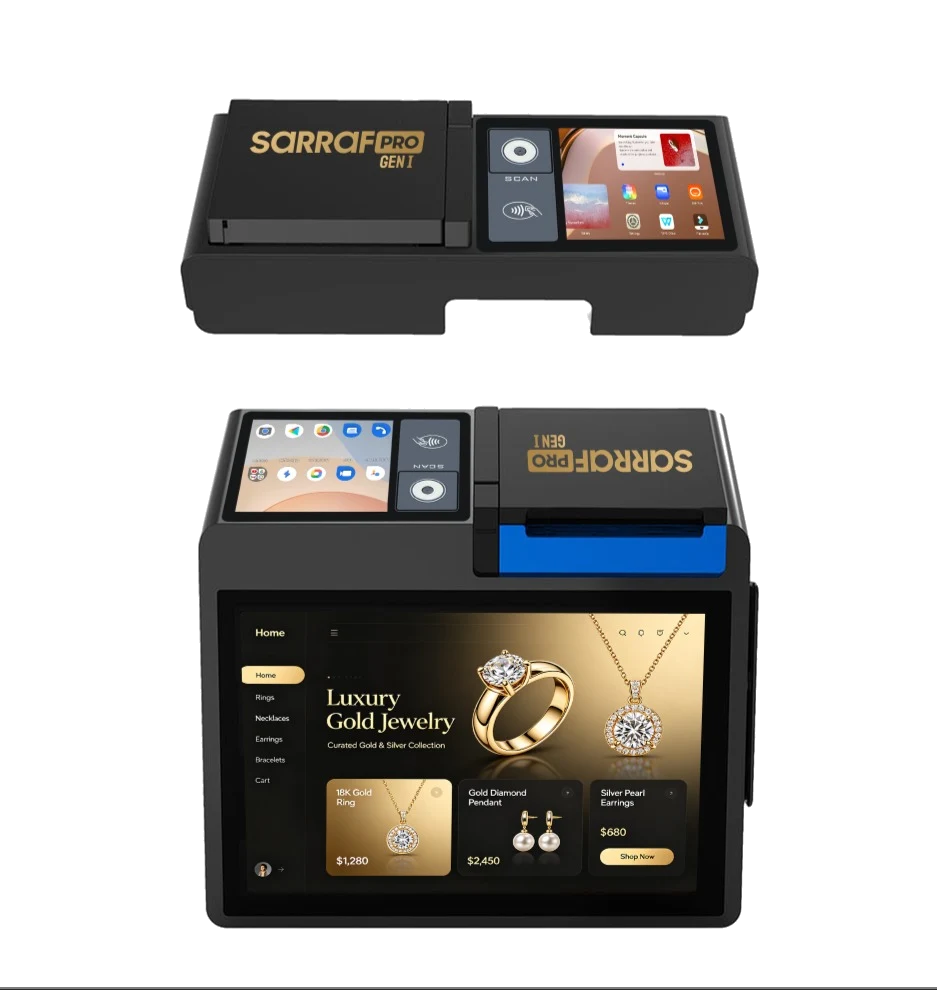
The operator workspace, customer-facing display and everyday transaction tools share one body.
01 / Dual displays
Business and customer. Two sides of one transaction.
The 10.1-inch main touchscreen provides the operator’s workspace. A separate 4-inch customer-facing touchscreen offers a surface for sharing information during a transaction.
- IPS main display: 800 × 1280
- Customer display: 480 × 800
- Touch input on both displays
02 / Product identification
Scan the item. Start with the right record.
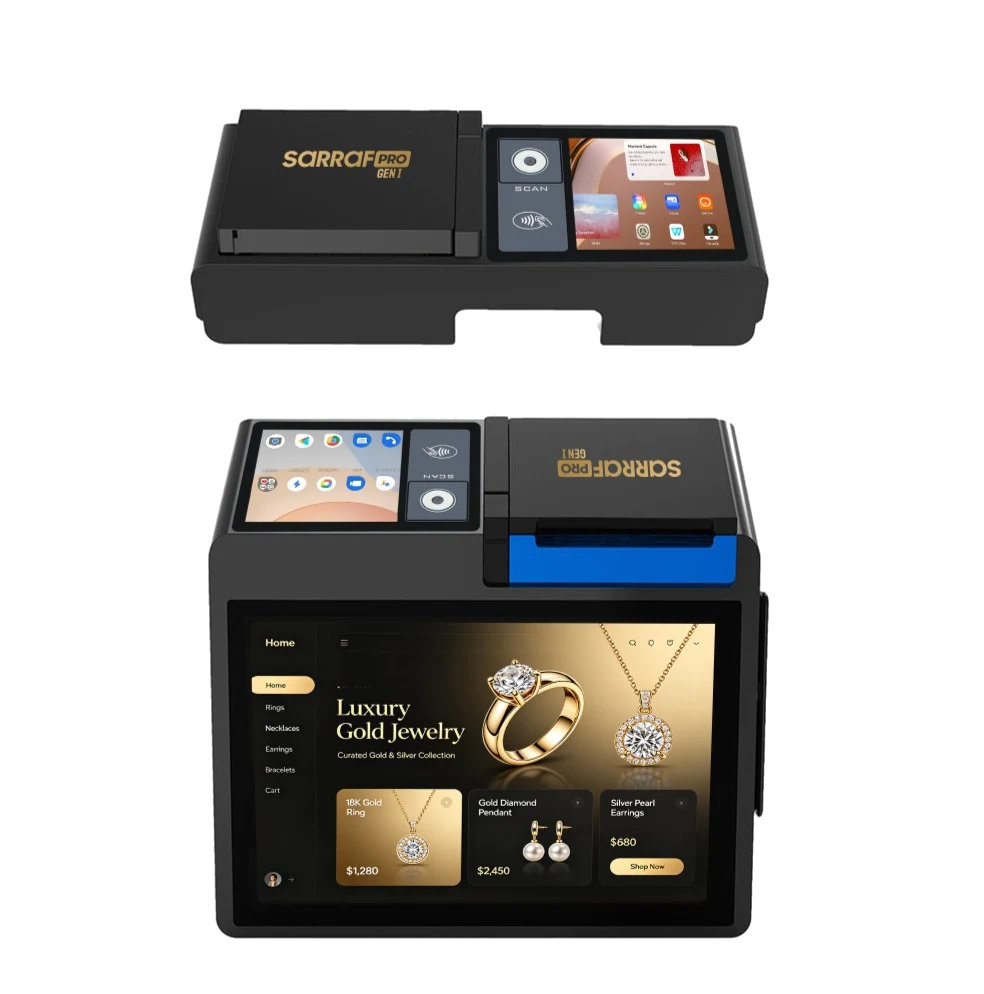
Integrated 1D/2D barcode and QR scanning brings product identification to the counter. RFID and SarrafPro-specific UHF RFID support jewellery product and stock workflows with suitable tags and configuration.
- 1D/2D barcodes and QR codes
- RFID and UHF RFID support
- Product, sales and inventory workflows
03 / Printing and connections
Everyday tools, within the workspace.
An integrated 80 mm thermal printer with an automatic cutter provides transaction printouts on the device. USB, Ethernet, serial and cash drawer connections support a counter setup with scales, label printers and other peripherals.
- Integrated thermal printing and automatic cutter
- Wired and wireless connectivity
- Use alongside business peripherals
From the product record to the business document.
GEN I’s hardware works with SarrafPro’s software workflows. Transactions that begin at the counter connect with customer, financial and document records.
- 01
Identify the item
Scan a barcode, QR code or suitable RFID tag and start from the relevant product record.
- 02
Create the sale
Organise sales items and transaction details in the same workspace.
- 03
Connect the customer
Associate the customer record with the transaction and manage identification steps through the relevant software.
- 04
Match the bank record
Review the bank transaction alongside the business transaction and connect the records.
- 05
Prepare the document
Use the transaction information in SarrafPro’s e-invoicing and related document workflows.
- 06
Follow the transaction record
Trace the operation through user activity, transaction and document records.
Software functions depend on active SarrafPro services, user permissions and configured integrations. Device configuration and connectivity requirements are assessed before installation.
GEN I technical specifications.
Based on the 80 mm printer configuration published on the official product website.
Displays and platform
- Main display
- 10.1″ IPS HD · 800 × 1280 · 300 nits · 10-point capacitive touch
- Customer display
- 4″ IPS WVGA · 480 × 800 · 300 nits · touchscreen
- Operating system
- Android 13-based commercial operating system
- Processor
- Qualcomm · six cores · up to 2.4 GHz
- Memory and storage
- 3 GB RAM · 32 GB UFS 2.2
Scanning and printing
- Product identification
- 1D/2D barcodes, QR, RFID and SarrafPro-specific UHF RFID support
- Camera
- Integrated 1 MP camera for barcode and QR scanning
- Printer
- 80 mm thermal · automatic cutter · 250 mm/s
- Roll diameter
- Up to 60 mm
Connectivity and counter setup
- Wired connections
- 3 × USB 3.0 Type-A · RJ45 Ethernet · RJ11 serial · RJ12 cash drawer
- Wireless connections
- 2.4 / 5 GHz Wi-Fi · Bluetooth 5.0 and BLE
- Expansion
- MicroSD: up to 1 TB · optional 2G/3G/4G mobile network
- Dimensions and weight
- 250 × 231 × 108 mm · 1.4 kg
- Power
- 60 W adapter · no internal battery
- Operating temperature
- 0–40 °C
Specifications may vary by product configuration and regional connectivity options. RFID tag compatibility, peripherals and connectivity are assessed together during quotation and installation.
Official technical specificationsQuestions about GEN I.
How does GEN I fit into Backhub?
GEN I is Backhub’s first device import project and the hardware side of the Sarraf product family. It complements our software development with devices for the physical workspace of jewellery businesses.
Who is it designed for?
It is a desktop work terminal for jewellery stores and multi-branch businesses that want to bring product identification, sales, customer and document workflows together at the counter.
How does it work with SarrafPro?
The device’s displays, scanning tools and printer provide the physical workspace. SarrafPro software services handle sales, customers, banking and document steps. The services and integrations used by the business determine the installation scope.
What is needed for RFID and peripherals?
Tag compatibility, scanning configuration and peripherals such as scales or printers are checked together. The installation is planned around the business’s requirements and GEN I’s available connections.
Is this a portable, battery-powered device?
GEN I is an adapter-powered desktop terminal with no internal battery. Mobile connectivity is optional. Power and network arrangements at the counter should be considered when choosing the device.
How can I ask about availability and installation?
The official GEN I contact page provides a route to discuss device configuration, supply and installation terms. You can also reach Backhub through our corporate contact form.
Let’s explore GEN I for your business.
Tell us about your software, tags, peripherals and everyday workflows so we can discuss a suitable device configuration.